By
By Imagine, your marketing team posted three times last Tuesday. Then nothing for four days. Someone finally remembered to schedule content on Sunday night, but the image was wrong and nobody caught it until after it went live.
This chaos happens to teams every single day. Managing social media across multiple people, platforms, and brands turns into a scheduling nightmare without the right tools.
The Problem: Individual social media schedulers work fine when you’re a solo creator posting 5 times per week. But teams face different challenges:
- Multiple people need access without sharing passwords
- Content requires approval before going live
- You’re planning 50-100+ posts per month across various accounts
- Different team members handle different brands or clients
- You need to see what everyone scheduled to avoid conflicts
Why This Comparison Matters: Most social media scheduler reviews focus on features for individual users. This comparison focuses specifically on what teams need: bulk scheduling capacity, collaboration tools, approval workflows, and pricing that doesn’t explode as your team grows.
This isn’t another list of “top social media tools” written by someone who’s never managed a team account.
This Guide Helps:
- Marketing teams at growing companies (3-10 people)
- Agencies managing multiple client accounts
- E-commerce brands with multiple product lines
- Content teams coordinating across departments
- Anyone tired of scheduling posts one at a time
By the end, you’ll know exactly which scheduler fits your team’s size, budget, and workflow—without wasting time on free trials that don’t match your needs.
Let’s start with what makes a scheduler truly work for teams, not just individuals.
Key Features Teams Look for in a Social Media Scheduler
When teams choose a social media scheduler, they often compare tools based on reliability, flexibility, and support for organized planning. Since each platform handles posting differently, teams focus on features that simplify collaboration and help them prepare content in advance. Below are the core elements teams usually evaluate before selecting a scheduling tool.
1. Bulk Scheduling
Bulk scheduling sits at the top of most team requirements. Because teams handle multiple posts across different platforms, they prefer a tool that allows batch uploads, CSV imports, and quick scheduling. This feature helps them stay ahead during high-volume campaigns.
2. Cross-Platform Support
Teams often post on several channels, including Facebook, Instagram, LinkedIn, X (Twitter), Pinterest, and YouTube. Therefore, a scheduler that supports many platforms reduces switching between apps and keeps everything organized in one place.
3. Calendar Visibility
A clear calendar view helps teams see upcoming posts in daily, weekly, or monthly layouts. Since teams work with campaigns and deadlines, this overview makes planning easier and improves coordination.
4. Media Management
Most teams work with images, videos, templates, and reused assets. As a result, tools with a structured media library help teams upload, store, and reuse content without searching through multiple folders.
5. Approval Workflows
Many teams include editors, designers, managers, and stakeholders. Because approval steps can slow down production, teams prefer schedulers where reviewers can check posts, suggest changes, and approve content in one place.
6. Post Previews
Before publishing, teams need to confirm how a post will appear on each platform. With accurate previews, they reduce formatting errors and avoid re-editing after publishing.
7. Pricing Transparency
Teams appreciate clear and predictable pricing. Hidden costs often create confusion, so a tool with transparent pricing helps teams plan budgets confidently.
8. Customer Support Responsiveness
Since issues may appear during busy periods, quick support responses help teams stay on track. In many cases, fast assistance reduces downtime and prevents missed posting windows.
Top Social Media Scheduler: Detailed Comparison
1. Simplified

Simplified offers a posting workflow built for teams that publish often on different channels. It is useful for groups running frequent campaigns and need one place to manage assets, drafts, and scheduled posts. Bulk uploads, folder organization, and a clear calendar layout help teams prepare content in advance without losing track of deadlines.
Bulk Scheduling Strength
Simplified allows users to upload several posts at once through CSV import or bulk media selection. This helps teams plan full weeks or months in advance. It also supports cross-posting, so one upload can fit several platforms without extra steps.
Team Approval System
Teams can assign roles, add reviewers, and use approval steps before a post goes live. This helps maintain consistency when several people create content. It also reduces mistakes because every post can pass through a review stage.
Multi-Channel Calendar
The calendar shows posts for Facebook, Instagram, LinkedIn, X, Pinterest, TikTok, and YouTube in one view. Teams can switch between daily, weekly, and monthly views. Each post shows its status (draft, scheduled, or published), which helps teams track workload and publishing gaps.
Media Library
Simplified stores all images, videos, and brand assets in a shared library. Since teams often work with repeated formats or templates, this library helps everyone access the same items without sending files back and forth. The system also supports folders for better organization.
Pros
- Strong bulk posting ability
- Clear multi-platform calendar
- Helpful for teams that publish often
- Shared media library
- Approval steps for quality control
- Fast workflow for cross-posting
Cons
- Advanced reporting is limited
- Some features may take time to learn for new users
Best For
Teams that run frequent campaigns across several platforms and want a posting tool that supports bulk uploads, shared assets, and approval workflows.
For pricing, you can view Simplified’s full details on the pricing page, where all plans and add-on features costs are explained clearly.
2. Buffer
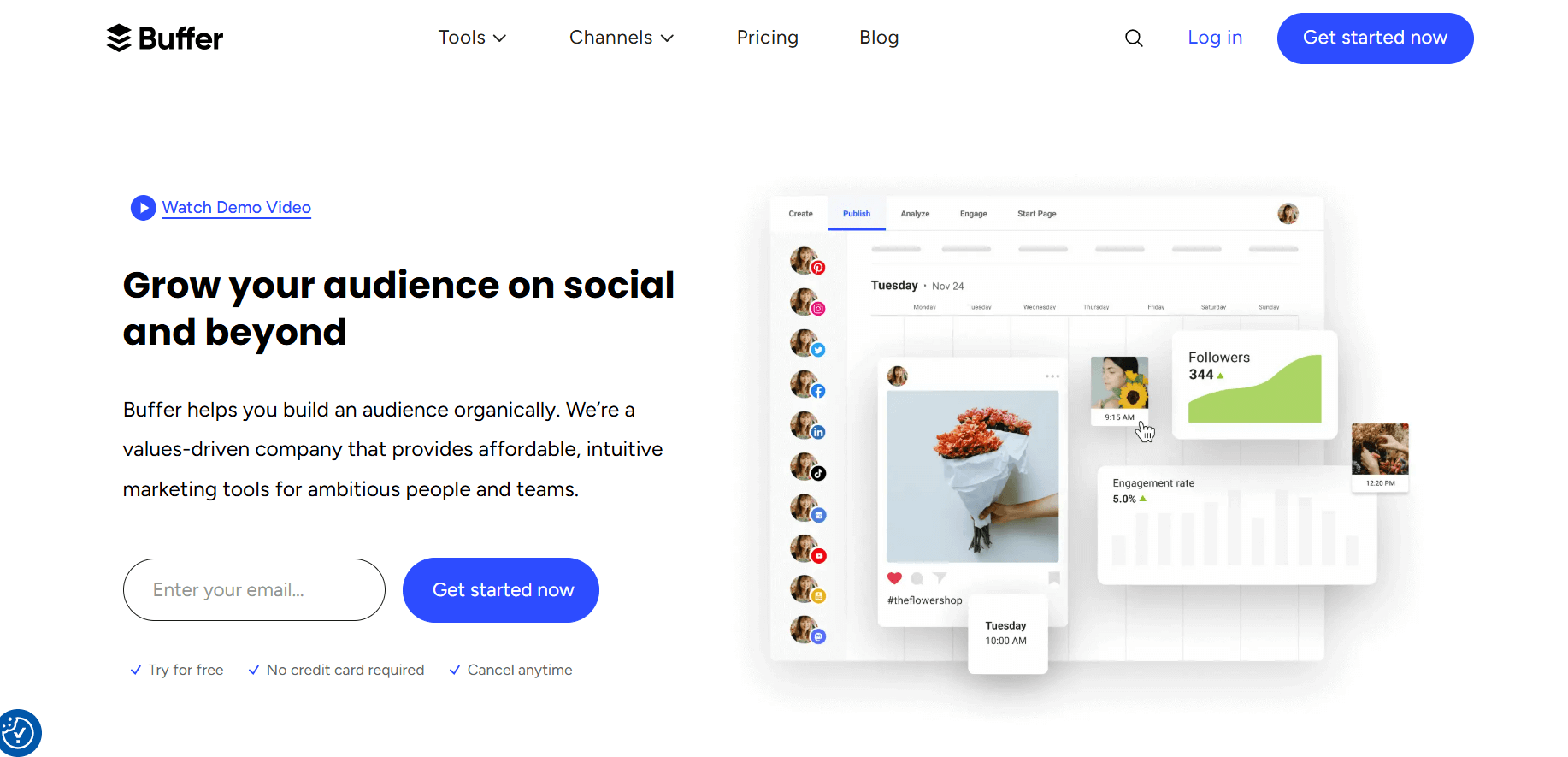
Buffer is a good fit for small teams and solo creators who need a simple posting system without too many advanced features. It focuses on clean scheduling, basic planning, and an easy-to-follow workflow. While it supports major platforms, it works best for accounts that publish a low or moderate number of posts each month.
Posting Workflow
Buffer keeps its workflow very simple. Users can add posts to each platform and choose the exact date and time for publishing. The editor is clean, so new users can understand it quickly. The platform also provides drafting tools that help users build posts step-by-step without confusion.
Bulk Scheduling
Buffer includes basic bulk posting, but it has limits compared to tools built for heavy posting. It allows multiple posts to be uploaded together, but it does not support large CSV uploads the way other platforms do. This makes it better for teams posting occasionally rather than daily.
Calendar System
The calendar shows upcoming posts in a clean layout. It works well for weekly planning, although it may feel light for teams that want deeper controls such as filtering, status labels, or multi-channel previews. Still, it provides enough structure for smaller teams.
Team Collaboration
Buffer supports team members, but the collaboration tools are minimal. There are no advanced approval steps or detailed role controls. This works fine for small teams with simple publishing habits, but larger groups may feel limited.
Pros
- Very easy to learn
- Clean scheduling layout
- Good for light posting
- Works well for solo users and small teams
- Affordable pricing
Cons
- Limited bulk uploading
- Light collaboration tools
- Calendar lacks deeper controls
- Reporting is basic
Best For
Small teams or creators who want a simple posting tool and do not need heavy bulk scheduling or advanced team features.
For pricing, you can view Buffer’s full details on the pricing page, where all plan costs are explained clearly.
3. Hootsuite
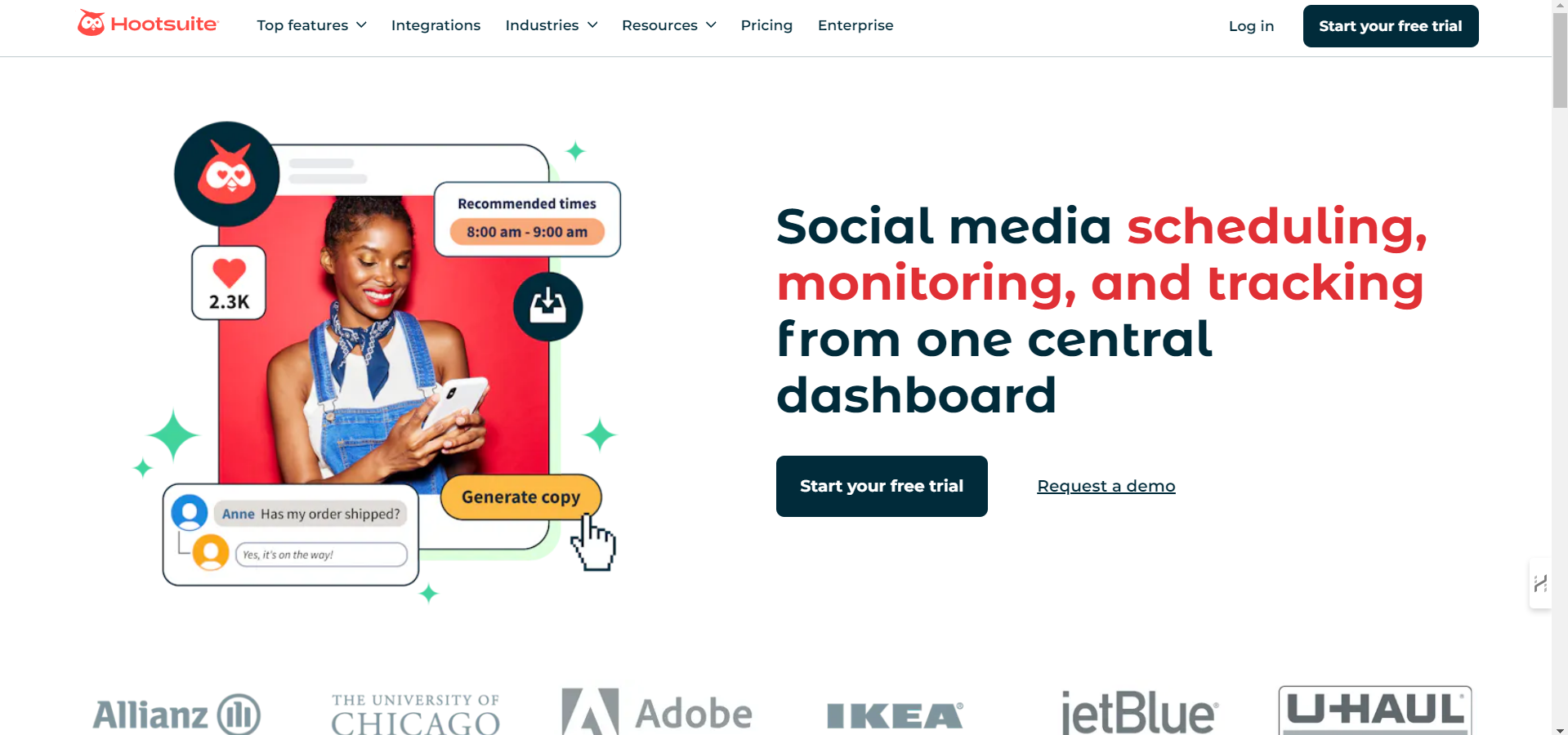
Hootsuite is a long-standing social media scheduling platform known for its broad platform support and advanced reporting tools. It suits mid-size and large teams that manage several accounts and need stronger control over publishing, monitoring, and analytics. However, it comes with a higher price and a heavier interface that may take time to learn.
Platform Coverage
Hootsuite supports a wide set of platforms, including Facebook, Instagram, LinkedIn, X, Pinterest, YouTube, and TikTok. Because many teams use multiple channels, Hootsuite’s platform reach makes it useful for complex publishing needs.
Bulk Scheduling
Hootsuite allows users to upload a large number of posts at once using CSV files. This makes it suitable for teams that publish daily or handle multiple clients. The system can process captions, dates, links, and image references in one upload. It works well but may require formatting experience.
Calendar System
Hootsuite provides one of the most detailed calendars among scheduling tools. Users can drag posts, filter by platform, and check scheduled items by status. The calendar helps teams manage long-term planning across several channels. Although powerful, it may feel heavy for small teams or beginners.
Team Features
Hootsuite includes role controls, shared content libraries, and review steps for approval. These tools give managers more control over who can publish and who can edit. Teams working on large campaigns will find these controls helpful, though the interface can feel crowded.
Reporting
The reporting system gives detailed insights on audience activity, posting patterns, and post results. Reports can be customized and exported. This helps teams track performance across all connected platforms. However, the reporting tools increase both pricing and learning time.
Pros
- Wide support for several platforms
- Strong reporting system
- Advanced calendar options
- Helpful for large teams
- Bulk posting with CSV
Cons
- Higher pricing
- Heavy interface
- Takes time to learn
- Some features feel too much for small teams
Best For
Teams that need strong reporting, several user roles, and control over large publishing schedules.
For a clear understanding of Hootsuite’s plan structure, you can check the pricing page where all plan costs are explained clearly.
4. Later
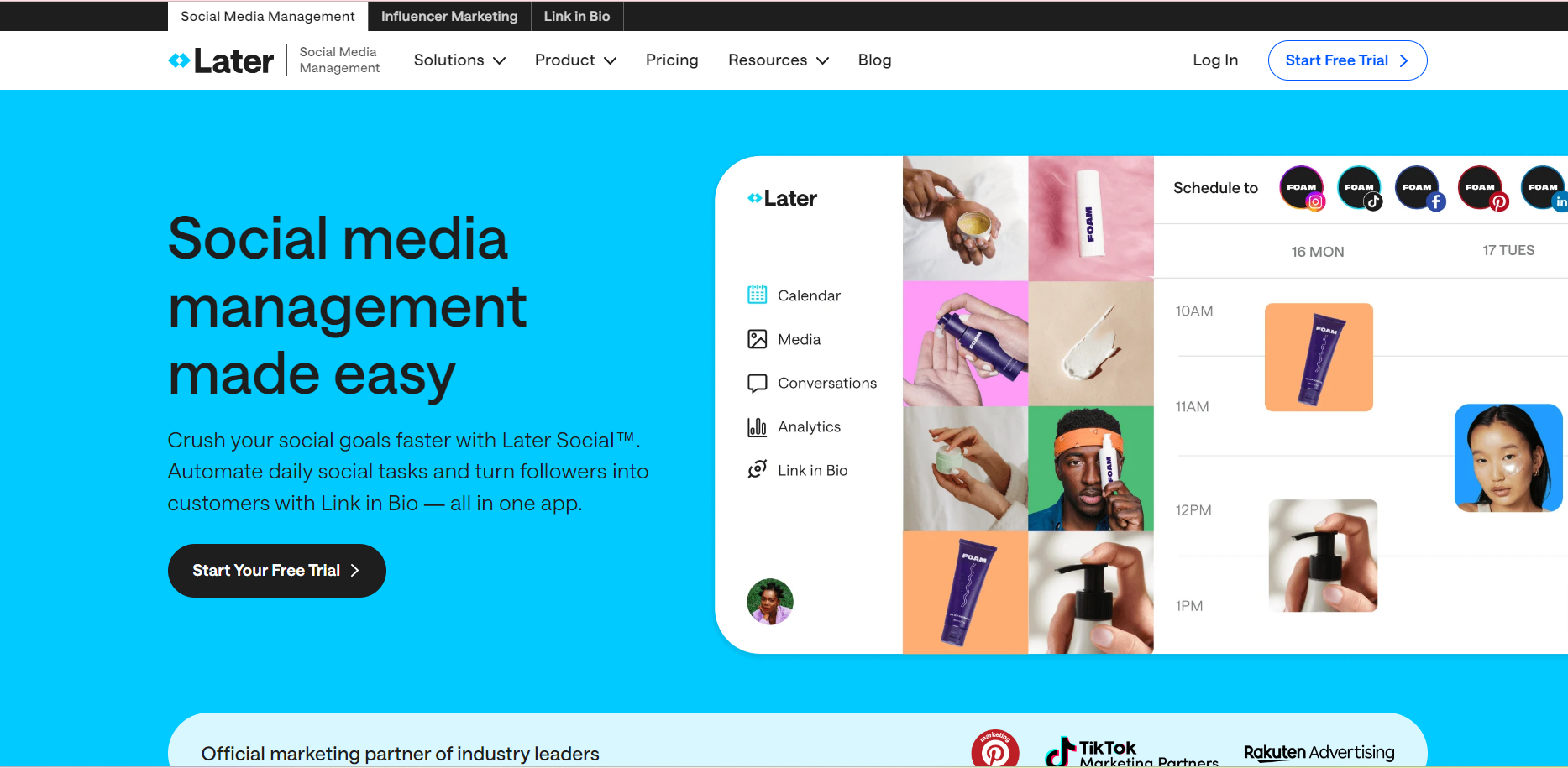
Later focuses on visual planning and works especially well for Instagram-first brands. It supports multi-platform posting, but its strongest features center on grid previews, drag-and-drop media planning, and a design-friendly workflow. While it does offer bulk posting, the options are more limited than tools built for high-volume scheduling.
Visual Planning Strength
Later stands out because of its visual layout. Users can drag images and videos onto the calendar, preview Instagram grids, and arrange posts in a way that matches their planned aesthetic. This design-forward workflow makes Later suitable for brands that rely on strong visuals.
Platform Support
Later supports Instagram, Facebook, TikTok, Pinterest, and LinkedIn. It covers most social platforms that depend on media-focused content. However, it does not offer the same broad coverage as some of the larger scheduling platforms.
Bulk Scheduling
Later includes moderate bulk scheduling. Users can queue batches of posts and upload several files at once. Still, it does not support advanced CSV import for heavy posting needs. It works fine for teams that plan weekly content but may feel light for larger operations.
Calendar System
The calendar is simple and easy to navigate. It works well for planning upcoming posts and reviewing visual layouts. Users can switch between weekly and monthly views. Because the calendar focuses more on visual planning, it may not meet the needs of teams that want deep filtering or status controls.
Media Library
Later provides a media library with image organization, tags, and folders. It helps teams store media for future posts. This feature is useful for creators and brands that depend on a large volume of photos or videos.
Pros
- Strong visual planning
- Great for Instagram and Pinterest
- Easy drag-and-drop calendar
- Simple media library
- Good for creators and visual brands
Cons
- Limited bulk scheduling
- Fewer platforms supported
- Reporting tools are basic
- Light collaboration options
Best For
Brands and creators that focus heavily on visual content and want a planning tool that supports design-based workflows.
You can check Later’s pricing page for a full breakdown of each plan and what it includes.
Comparison Table of Top Social Media Scheduler Tools
| Feature | Simplified | Buffer | Hootsuite | Later |
|---|---|---|---|---|
| Supported Platforms | Facebook, Instagram, LinkedIn, X, Pinterest, TikTok, YouTube | Facebook, Instagram, LinkedIn, X, Pinterest, TikTok | Facebook, Instagram, LinkedIn, X, Pinterest, YouTube, TikTok | Instagram, Facebook, Pinterest, TikTok, LinkedIn |
| Bulk Scheduling | Strong bulk uploads + CSV support | Basic bulk posting | Strong CSV imports | Moderate bulk posting |
| Team Collaboration | Role control + approval steps | Light team support | Detailed roles + strong approval steps | Basic team tools |
| Pricing Range | Low–Medium | Low–Medium | High | Low–Medium |
| Calendar System | Multi-channel daily/weekly/monthly views | Simple weekly/monthly views | Advanced calendar with filters | Visual calendar + grid preview |
| Media Library | Yes | Limited | Yes | Yes (strong for visual brands) |
| AI Features | Yes (AI writing, AI Design, ai workflows, ai video) | Limited | Limited | Limited |
| Best For | Fast posting + frequent campaigns | Small teams + low-volume posting | Large teams + deep reporting | Visual brands + Instagram-first teams |
In simple words:
- Simplified is the only tool in this group designed for high-volume posting + strong Bulk Scheduling + team approval + AI support in one system.
- Buffer stands out for being the simplest and most beginner-friendly scheduler, even though it offers fewer advanced tools.
- Hootsuite is the only tool built for large teams that need strong analytics and advanced control.
- Later stands out for visual planning and Instagram-focused work, which none of the others match.
Additional Scheduling Tools You May Consider
These tools are also popular among teams comparing schedulers.
5. Sprout Social
Sprout Social is built for teams that manage several accounts and need strong tracking, planning, and coordination. It includes posting, inbox management, audience tracking, and reporting in one system. The platform focuses on giving teams a complete view of their social activity, which helps with long-term planning and campaign management. It also supports approval steps for smoother team workflows.
Main Strengths
- Detailed reporting that helps teams understand daily, weekly, and long-term activity
- Strong inbox tools for managing comments and messages across platforms
- Clear workflows for teams that handle several accounts or clients
- Supports all major platforms, including Facebook, Instagram, LinkedIn, X, Pinterest, YouTube, and TikTok
Key Benefit: Its reporting tools provide one of the clearest insights into platform activity, which helps teams plan stronger campaigns.
Limitation: The pricing is higher than most scheduling tools, which makes it harder for small teams or new creators to adopt.
6. Zoho Social
Zoho Social is designed for small and mid-size teams that want a clear posting system with simple planning features. It connects well with the Zoho ecosystem, which helps businesses using tools like Zoho CRM, Zoho Desk, or Zoho Campaigns. The platform supports content planning, keyword monitoring, simple reporting, and basic team controls.
Main Strengths
- Affordable plans that fit small teams
- Connects smoothly with other Zoho products
- Supports Facebook, Instagram, LinkedIn, X, YouTube, and Google My Business
- Offers a clear calendar that shows daily and weekly posting schedules
Key Benefit: It provides solid posting and monitoring tools at a lower price point, which makes it accessible for new or smaller teams.
Limitation: Some features, such as advanced reporting or deep team controls, may feel limited for teams that handle large posting schedules.
7. Publer
Publer is a scheduler built for teams that want flexible posting tools without a high price. It supports several platforms and offers strong bulk uploading, link previews, and post recycling for evergreen content. Many teams choose Publer because it allows them to prepare large batches of posts quickly and keep past posts organized.
Main Strengths
- Supports Facebook, Instagram, LinkedIn, X, Pinterest, TikTok, and YouTube
- Strong bulk upload system with CSV support
- Helpful post recycling for evergreen content
- Clean dashboard for creating and editing posts
- Good balance of features at a lower price point
Key Benefit: Publer offers strong bulk tools that let teams prepare large batches of posts at once, which helps with weekly and monthly planning.
Limitation: The interface and overall layout feel less refined than larger platforms, which can affect the user experience for teams that want a more polished setup.
8. Sendible
Sendible is built with agencies and multi-brand teams in mind. It supports several platforms and includes features for client management, such as dedicated dashboards, approval flows, and asset organization. Agencies often choose Sendible because it allows them to handle many clients without mixing content or accounts.
Main Strengths
- Supports Facebook, Instagram, LinkedIn, X, Pinterest, YouTube, and Google Business
- Offers client-facing dashboards for agencies
- Provides approval steps and role-based access
- Includes a content library for storing assets and templates
- Calendar supports filters for different clients
Key Benefit: Its client dashboards and approval tools make it easier for agencies to manage several brands in one place.
Limitation: The visuals, interface, and reporting tools feel dated compared to other modern schedulers, which may not suit teams looking for a fresh design.
9. SocialBee
SocialBee focuses on organized scheduling through category-based posting. It’s popular among creators, freelancers, and small teams who want a consistent publishing flow across multiple platforms. Its evergreen recycling system lets users keep posts active for longer without manually recreating content. SocialBee also offers workspace separation, role-based access, and content approval options, making it suitable for teams handling multiple brands.
Main Strengths
- Supports Facebook, Instagram, LinkedIn, X, Pinterest, TikTok, and Google Business
- Category-based scheduling for balanced content distribution
- Evergreen recycling to repurpose older posts
- Workspace and role management for agency teams
- Basic analytics and competitor insights
Key Benefit: Its category-based posting and recycling system help maintain a steady posting routine, especially for users managing diverse content types.
Limitation: The interface can feel text-heavy, and its visuals aren’t as polished as newer schedulers, which may not appeal to users who prefer a more modern layout.
10. Metricool
Metricool combines scheduling with detailed analytics, offering a dashboard that brings social media, website, and ads performance into one place. Its planner includes bulk scheduling, recommended posting times, and a visual event calendar. Metricool is often used by creators and small businesses that want more in-depth data without needing multiple tools.
Main Strengths
- Supports Facebook, Instagram, LinkedIn, X, Pinterest, YouTube, TikTok, and Twitch
- Strong analytics covering social platforms, blogs, and ad accounts
- Bulk upload for scheduling multiple posts
- Hashtag analysis and competitor tracking
- Auto-generated best-time suggestions based on performance
Key Benefit: Its analytics provide more depth than most basic schedulers, allowing users to understand what works across both social media and web traffic.
Limitation: The posting workflow is simpler than other tools, and teams needing advanced collaboration or content libraries may find it less flexible.
Which Tool Should Different Teams Choose?
The right scheduler depends on team size, posting habits, and the type of workflow each group follows. The breakdown below helps teams understand which platforms suit their volume, structure, and planning needs.
By Team Type
Small Marketing Teams
Small teams usually need a tool that keeps posting simple while covering the essentials.
Best fit: Buffer or Metricool
- Easy setup
- Simple calendars
- Works well for light to moderate posting
- Good choice for teams with one or two people handling all content
Agencies Managing Multiple Clients
Agencies need clear workflows, client dashboards, and a way to separate accounts.
Best fit: Simplified, Sendible, or Sprout Social
- Shared calendars
- Approval paths for clients
- Asset storage and labels
- Tools designed for managing many brands without mixing content
Ecommerce Stores
Ecommerce teams usually run product posts, promotions, and seasonal campaigns.
Best fit: Simplified, Later, or Publer
- Strong visual calendars
- Bulk uploads for product batches
- Tagging and folder organization
- Works well for frequent posting and upcoming sale planning
Startups With Lean Teams
Startups often need one tool that covers posting, tracking, and basic collaboration without a heavy setup.
Best fit: Simplified, Zoho Social, or SocialBee
- Simple setup
- Helpful for small teams sharing responsibilities
- Supports planning across several platforms
- Works for teams that need posting plus general content organization
Large Organizations With Structured Roles
Large teams need approval steps, strict roles, and detailed reports.
Best fit: Hootsuite or Sprout Social
- Advanced reporting
- Role-based permissions
- Multi-layer approval
- Works well for teams with several departments contributing to content
By Posting Frequency
Light Posting (1–3 posts per day)
Best fit: Buffer, Metricool, or SocialBee
- Simple workflows
- Enough features for basic posting
- Ideal for teams just starting or posting occasionally
Medium Posting (5–10 posts per day)
Best fit: Simplified, Zoho Social, or Publer
- Smooth handling of ongoing campaigns
- Useful for teams planning weekly content in batches
- Better options for folders, tagging, and calendar filters
Heavy Posting (Daily Across Multiple Platforms)
Best fit: Simplified, Hootsuite, or Sprout Social
- Strong bulk upload tools
- Good for teams that prepare large volumes of content in advance
- Multi-channel calendar views that help avoid overlaps or repeated posts
Final Thoughts
Teams that post regularly need a planner that keeps content, drafts, media, and schedules organized in one place. Calendar clarity and approval paths matter even more when several people contribute to campaigns.
Bulk scheduling remains the main advantage for long-term posting. It helps teams stay consistent, meet deadlines, and prepare weeks of content without losing track of tasks.
When comparing all four tools, the choice depends on the team’s structure and daily workload.
For groups that need strong bulk uploads, a clear calendar, and an organized asset system, Simplified offers the most balanced setup.
Teams with larger reporting needs may prefer Hootsuite or Sprout Social, while smaller groups may find Buffer or Metricool easier to manage.
So, ready to bring all your posts into one system? Start managing bulk uploads and daily planning in a steady workflow.