


10M+
Active Users
4.8/5
User Rating (G2)
14+
AI Models Available
<30sec
Average Generation Time

AI Workflows
Streamline your every workflow with Simplified Workflows.

AI Design
Create presentations, ads, thumbnails & more with AI

AI Writer
Overcome writer's block with the power of AI writer

AI Video
Custom videos, video templates, subtitles and more

Social Media Management
Plan, schedule, track and respond on all your social channels effortlessly

AI Chatbot
Enhance your marketing, boost sales, and optimize customer support

Link in Bio
Organize and share all your key links on a single page
AI Project Management
Streamline your every workflow with Simplified Projects
AI for Industries
AI for Teams
AI for Individuals
Transform your ideas into professional images in seconds with 14+ cutting-edge AI models. Choose from DALL-E, Flux Pro, Google Imagen, Gemini, Stable Diffusion, Ideogram, and more. No design skills or credit card required. All images include full commercial usage rights. Join 10M+ users creating stunning visuals.
No design experience needed. Our AI image generator makes professional images accessible to everyone.
Enter a text prompt describing what you want to create. Be as simple or detailed as you like - our AI understands natural language. Upload reference images for style guidance or use negative prompts to exclude elements.
Select from 14+ AI models: Flux for speed, DALL-E for photorealism, Imagen for text accuracy, Gemini for reference images, Stable Diffusion for artistic styles, or experiment with Ideogram, Recraft, Qwen and more.
Perfect your image with built-in editing tools: remove backgrounds, use generative fill, apply brand kits, add filters. Export in PNG, JPG, SVG, or PDF. Publish directly to social media. All images include full commercial rights.
Access the world's most advanced AI image generation models, all in one platform. Each model excels at different styles and use cases.
Flux offers the fastest generation times with premium quality. Choose from Flux Pro for photorealistic images, Flux Kontext for reference image support, Flux Ultra for...
Flux AI Models (6 Variants)
Google's advanced AI models excel at text rendering and multi-reference images. Imagen produces ultra-high resolution images with exceptional text accuracy. Gemini Flash supports up to...
Google AI Models (Imagen & Gemini)
Stable Diffusion (Stability AI) offers artistic flexibility with negative prompt support and multiple generation options. Recraft excels at vector-style illustrations. Ideogram produces stunning artistic compositions...
Stable Diffusion & Artistic Models
Automatically apply your brand colors, logos, and fonts to every AI-generated image. Create consistent branded visuals across all marketing channels without manual editing. Upload your...
Brand Kit Integration
Generate multiple images from a single prompt or create variations of existing images. Perfect for A/B testing ad creatives, exploring different styles, or creating diverse...
Batch Generation & Variations
Perfect your AI-generated images with professional editing tools built right in. Remove backgrounds with AI precision, use generative fill to extend or modify images, resize...
Advanced Editing Suite
Compare our all-in-one platform with standalone AI image generators
| Feature | Simplified | DALL-E | Midjourney |
|---|---|---|---|
| AI Models Available | 14+ models (Flux, Imagen, Gemini, DALL-E, Diffusion, Ideogram, Recraft & more) | 1 model (DALL-E 3) | 1 model (Midjourney v6) |
| Free Plan | Yes - unlimited generations with Flux Schnell | No - $20/month minimum | No - $10/month minimum |
| Commercial Rights | Full commercial rights included (all plans) | Paid plans only | Limited by Discord ToS |
| Built-in Editor | Yes - full editing suite with background removal, generative fill, filters | No - download only | No - Discord bot interface |
| Brand Kit Integration | Yes - auto-apply logos, colors, fonts | ||
| Reference Images | Yes - up to 14 images (Gemini Pro) | Limited to 1 image | Yes - blend mode |
| Team Collaboration | Yes - real-time comments, shared workspaces, approvals | Discord channels only | |
| Export Formats | PNG, JPG, SVG, PDF + direct social media publishing | PNG only | PNG only |
| Platform Integration | All-in-one: AI Writer, Video Editor, Social Scheduler, Design Tools | Standalone tool | Standalone Discord bot |
| Pricing | Free - $30/month (includes all AI tools) | $20/month (images only) | $10-$60/month (images only) |
See how professionals across industries use AI-generated images to save time, reduce costs, and create better content
Create scroll-stopping posts, stories, and ads in seconds. Generate multiple variations for A/B testing, maintain brand consistency with brand kits, and resize for every platform (Instagram, Facebook, LinkedIn, Twitter) without leaving Simplified. Publish directly to social media.
Generate eye-catching YouTube thumbnails, blog featured images, podcast cover art, and visual quotes. Use Imagen for text-heavy thumbnails with perfect typography. Create consistent branded visuals that increase click-through rates and audience engagement.
Design campaign visuals, ad creatives, email headers, and landing page images with brand consistency across all channels. Use batch generation to create dozens of ad variations for testing. Collaborate in real-time with team members and stakeholders on visual approvals.
Create product mockups, lifestyle images, promotional graphics, and seasonal campaign visuals without photoshoots. Generate variations of product presentations for different demographics. Use reference images to maintain consistent product styling across your catalog.
Manage multiple client brands with dedicated brand kits for each. Generate custom visuals for client campaigns, presentations, and deliverables. Collaborate with clients using shared workspaces and approval workflows. Scale your creative output without hiring more designers.
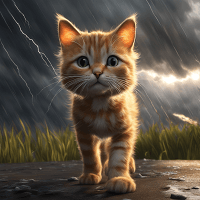
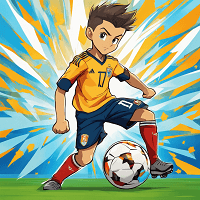
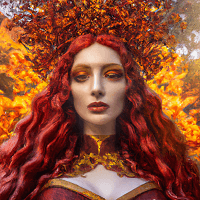
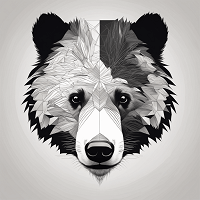
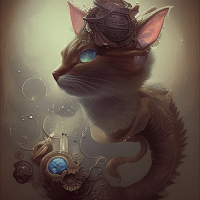
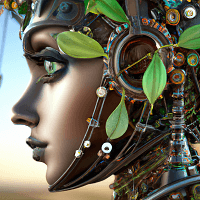
Browse stunning examples created by our community using 14+ AI models including Flux, Imagen, Gemini, DALL-E, and Stable Diffusion
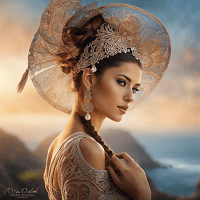
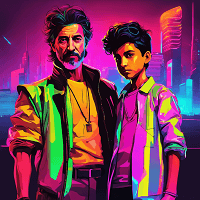
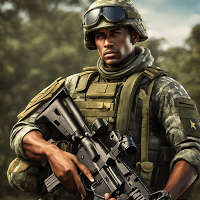
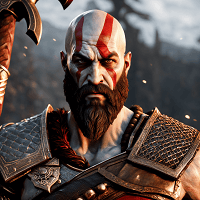
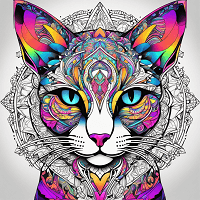


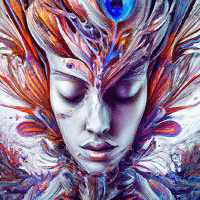

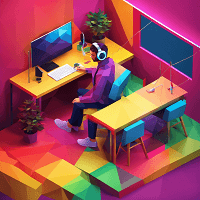
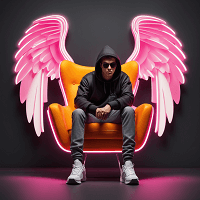




Everything you need to know about Simplified's AI Image Generator
Everything you need to know
Simplified's AI Image Generator is an advanced text-to-image tool that transforms written descriptions into professional-quality images using 14+ cutting-edge AI models. Unlike standalone tools, it's part of an all-in-one content creation platform that includes AI writing, video editing, design tools, and social media scheduling. You can generate images from text prompts, upload reference images for style guidance, use negative prompts to exclude elements, and edit your creations with built-in tools like background removal and generative fill. All images come with full commercial usage rights, making it perfect for businesses, marketers, content creators, and agencies.
We offer 14+ AI models from industry leaders: **Flux models** (6 variants including Flux Pro for photorealism, Flux Schnell for speed - free plan), **Google models** (Imagen for text accuracy, Gemini Flash & Pro for multi-reference images), **Stable Diffusion** for artistic styles with negative prompts, **DALL-E** from OpenAI, **Ideogram** for artistic compositions, **Recraft** for vector-style illustrations, **Qwen** and **Bytedance Seedream** for diverse visual outputs. Choose **Flux Pro or Imagen** for photorealistic commercial work, **Stable Diffusion or Ideogram** for artistic projects, **Gemini** when using multiple reference images (up to 14), or **Flux Schnell** for fast free generations. Each model has unique strengths - experiment to find your favorite.
Yes, Simplified offers a **free forever plan** with unlimited AI image generations using Flux Schnell model. No credit card required to start. The free plan includes access to text-to-image generation, basic editing tools, and export in PNG/JPG formats with full commercial rights. Premium plans ($20-$30/month) unlock all 14+ AI models including Flux Pro, Imagen, Gemini, DALL-E, advanced editing features like background removal and generative fill, brand kit integration, team collaboration, SVG/PDF exports, and priority generation speed. Premium plans also include AI Writer, Video Editor, and Social Media tools - making it more cost-effective than subscribing to multiple standalone AI tools.
**Yes, you own full commercial rights to all images you generate with Simplified**, regardless of which plan you're on (including the free plan). You can use images for client work, products, marketing campaigns, social media ads, merchandise, websites, presentations, and any commercial purpose without attribution or additional licensing fees. This is a major advantage over competitors like Midjourney (limited by Discord Terms of Service) or DALL-E (commercial rights only on paid plans). You retain ownership of your creations and can sell, distribute, or license them as you see fit. No hidden restrictions or surprise licensing costs.
**Be specific and descriptive** - instead of 'a person', try 'a 30-year-old Asian woman with long black hair wearing a red dress in a modern office'. Include details about **subject, setting, lighting, mood, style, colors, and composition**. Use **style keywords** like 'photorealistic', 'oil painting', 'minimalist', 'vibrant', or '3D render'. **Reference artists or art movements** for inspiration (e.g., 'in the style of Studio Ghibli'). Use **negative prompts** to exclude unwanted elements (e.g., 'no text, no watermarks, no blurry details'). **Upload reference images** to guide the AI's visual style. Start with 10-20 words and add more details if needed - quality over quantity. Experiment with different AI models as each interprets prompts differently.
Negative prompts let you **specify what you DON'T want in your image**, giving you precise control over the output. Available on models like Stable Diffusion, Gemini Flash, and Qwen. For example, if generating a portrait, use negative prompts like 'blurry, low quality, extra fingers, distorted face, watermark, text' to avoid common AI artifacts. For product images, exclude 'background, shadows, reflections' for clean cutouts. For landscape scenes, remove 'people, buildings, modern elements' for pure nature shots. Negative prompts are especially useful when an AI model keeps adding unwanted elements despite your main prompt - they act as strong guardrails to guide the generation in the right direction.
**Yes, many of our AI models support reference image uploads** to guide the style, composition, or subject of your generated image. **Gemini Pro** supports up to **14 reference images** simultaneously, perfect for complex compositions. **Flux Pro/Kontext, DALL-E, Stable Diffusion, Ideogram, Qwen, and Bytedance Seedream** support 1-10 reference images depending on the model. Upload photos, illustrations, or existing designs, then describe how you want the AI to interpret them in your text prompt. Use cases include: maintaining brand visual style across multiple images, recreating product photography angles, matching specific color palettes, replicating artistic styles, or creating variations of existing designs. Reference images give you much more control than text prompts alone.
**Brand Kit lets you save your brand assets once and auto-apply them to every image you create**. Upload your logo, define brand colors (primary, secondary, accent), set brand fonts, and add other visual elements like patterns or icons. When generating AI images, select your brand kit and Simplified will automatically incorporate your brand colors into the generated palette, position your logo appropriately, and maintain visual consistency with your brand guidelines. Perfect for **agencies managing multiple client brands** (create separate kits for each client), **marketing teams** ensuring brand compliance, or **social media managers** creating dozens of on-brand posts daily. Saves hours of manual editing and prevents off-brand content.
Export your AI-generated images in **PNG, JPG, SVG, and PDF formats** to suit any use case. **PNG** for transparent backgrounds and web graphics, **JPG** for smaller file sizes and photography, **SVG** for scalable vector graphics that resize without quality loss (ideal for logos and illustrations), and **PDF** for print-ready documents and presentations. You can also **resize images for specific platforms** with one click (Instagram post 1080x1080, Instagram Story 1080x1920, Facebook cover, LinkedIn banner, etc.) and **publish directly to social media** without downloading. All exports maintain high resolution (most models generate 1024x1024 to 1536x1536 pixels) suitable for both digital and print use.
**Yes, Simplified includes full team collaboration features** built for agencies, marketing teams, and content creators working together. **Add team members and guests** to your workspace, assign roles with different permissions (admin, editor, viewer), **share projects** with real-time updates, **leave comments** directly on images for feedback and approvals, create **approval workflows** where stakeholders can review and approve images before publishing, and organize work in **shared folders** by client or campaign. All activity is tracked with version history so you can see who made changes and when. Team features are available on Business and Enterprise plans. Much more powerful than sharing images via email or Slack.
Expert guides and resources to help you master AI-powered image creation
Discover the best free AI art generators available today. Compare features, quality, and use cases to find the perfect tool for your creative projects.
Learn about copyright, licensing, and commercial rights for AI-generated artwork. Understand the legal landscape and best practices for selling AI art.
Explore the world of generative art, from pioneering artists to modern AI tools. Learn how algorithms and creativity combine to create stunning artwork.
Compare the top text-to-image AI models including DALL-E, Stable Diffusion, and Midjourney. Find the right generator for your creative workflow.
Join 10 million users creating professional visuals in seconds with 14+ AI models. No credit card required. Commercial rights included.
No credit card required • Start in 30 seconds